Singulate + HubSpot

You didn’t collect all that HubSpot data to send everyone the same email.

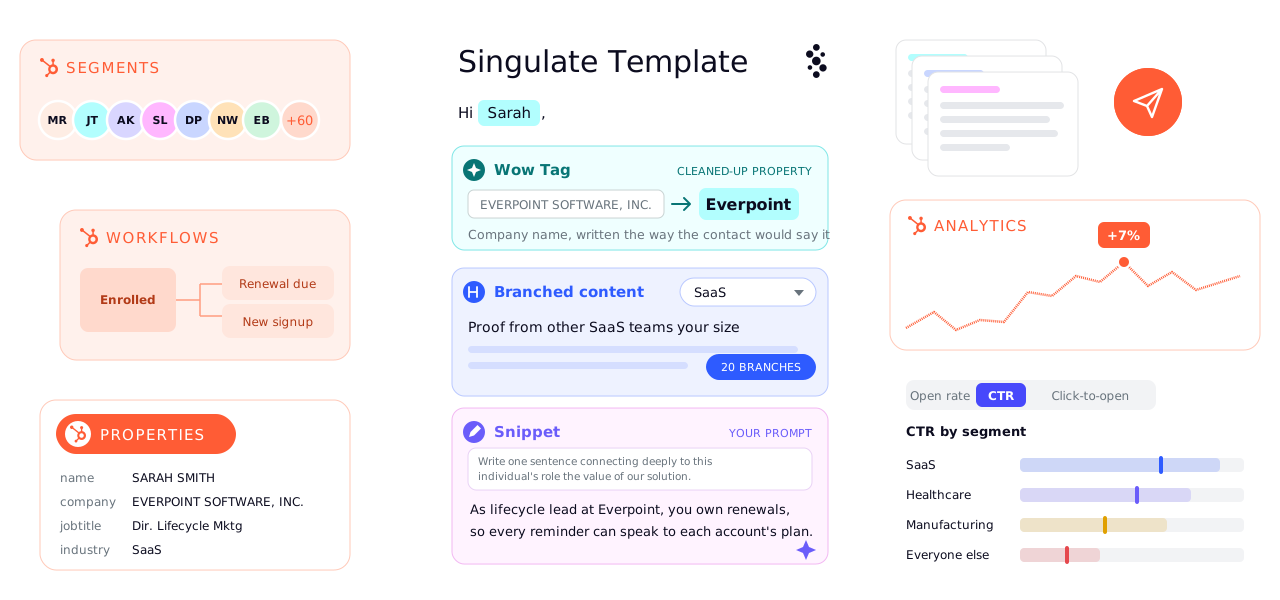
HubSpot segments, workflows and properties feed a Singulate template, which cleans up properties with Wow Tags, branches content by industry and writes a snippet for each person, then sends through HubSpot and reports results by segment

You know more about your contacts than their first name and company. Singulate helps turn that context into email copy that’s relevant to the person reading, without rewriting every version or leaving HubSpot.

Works with one-off HubSpot emails and automated workflows.

The same launch email, written for three different customers.

A finance software company is announcing multi-step approvals. Here’s the email they’d usually send the whole list, and what three of those customers could get instead.

Choose who gets the email

Personalized: what Maya gets

The part of approvals your auditors will care about

Hi Maya,

Every approval now leaves a record: who signed off, when, and under which rule. Across three entities, that’s usually the first thing an auditor asks for and the last thing anyone wants to rebuild by hand.

You can export the log for any date range as a CSV. It’s the approval evidence section of the audit prep checklist you downloaded in September, without the spreadsheet.

See the audit log

Elena, Product

Why it changed

Maya is preparing for an audit across three entities. For her, approvals are about proof, not process.

From Maya’s HubSpot record

  • Runs 3 legal entities
  • Downloaded the audit prep checklist in September

Personalized: what Jordan gets

You probably don’t need this yet

Hi Jordan,

We just launched multi-step approvals. Honest take: at 38 people with one approver, you probably don’t need them yet.

What might help is the setting that shipped with them. Auto-approve anything under $250 and most of your requests (they average $140) go through without waiting on your founder.

Set an auto-approve limit

Elena, Product

Why it changed

A small team with one approver doesn’t need more steps. The useful part of the launch is the setting that removes one.

From Jordan’s HubSpot record

  • 38 employees
  • One approver: the founder
  • Average request: $140

Personalized: what Priya gets

Approvals in Slack, like you asked

Hi Priya,

In August you asked our support team whether approvals could go to Slack. Now they can. Approvers see the amount and the rule that sent it to them, and sign off without opening anything else.

Add rules by amount and department, and the 900 or so requests your team handles each month find the right approver on their own.

Connect Slack

Elena, Product

Why it changed

Priya asked for this. Her email answers her question first and gets to the rest after.

From Priya’s HubSpot record

  • Asked support in August: “Can approvals go to Slack?”
  • About 900 requests a month

Built in Singulate the way you’d build it: a branch for each kind of customer, Wow Tags for fields like entity count, and a Singulated Snippet for the line about each person’s recent activity.

The company, the contacts and their data are fictional, written to show the idea. This isn’t a customer campaign.

Now that I’ve used Singulate, when I’m in HubSpot I feel limited.

Portrait of Hunter FlynnHunter FlynnCRM Automation Specialist

74%

higher click-through rate for personalized emails than for the generic version of the same send

Click-through, generic version
2.13%
Click-through, personalized version
3.71%
How we measured this

In Singulate’s enterprise campaign analysis, personalized emails earned a 74% higher click-through rate than generic versions of the same email. The sample is anonymized Singulate customers across industries, comparing human click rates within the same sends.

The generic version was also written in Singulate, so this compares a personal version with a generic one, not Singulate with no Singulate. These are observational results from real sends, and bot filtering varied by sending platform.

What you can do in Singulate that a merge tag can’t.

You pick the parts of the email that should change. Everything else goes out exactly as you wrote it.

Branched Content

Describe who a paragraph is for, then write it for them.

Type the audience the way you’d say it, like “companies with at least $2M in annual revenue”, and Singulate builds the segment from your HubSpot fields. You see how much of the list falls into it, and who, before you write a word for them.

Branch a paragraph, a CTA or an image. Swap a case study for one that fits, or change the ask entirely.

Anyone outside your branches gets the copy you wrote for everyone. Turn on “Allow empty” and a block simply disappears for an audience, so their email gets shorter.

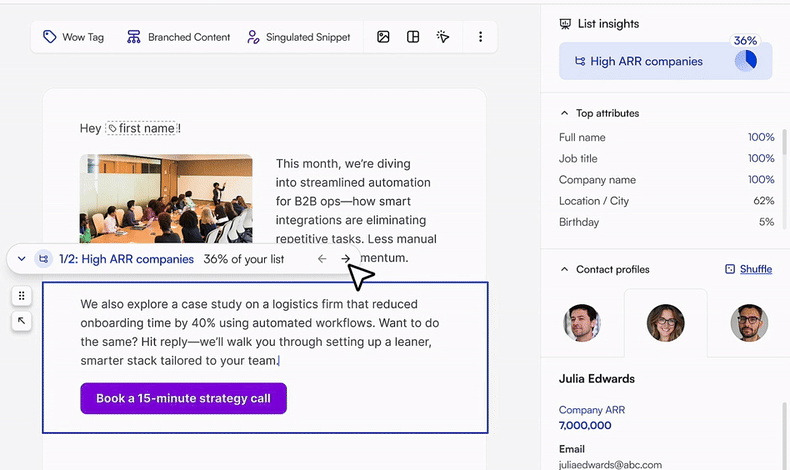
The Singulate editor with a branch labelled 1/2: High ARR companies, 36% of your list, holding a case study paragraph and a Book a 15-minute strategy call button, and a contact in that segment with Company ARR 7,000,000
  1. The branch, and the share of the list it covers.
  2. Copy only this segment gets, CTA included.
  3. A contact from the segment, with the field that put them there.

Wow Tags

Turn CRM fields into words a person would write.

“2024-10-09T15:16:14Z” isn’t a sentence. Tell a Wow Tag what you want in plain words, like “only use the month’s name”, and check the result on real contacts before it goes anywhere.

The record in HubSpot stays exactly as it is. Only the email changes.

Contacts with an empty field get the fallback text you set, so nobody sees a blank.

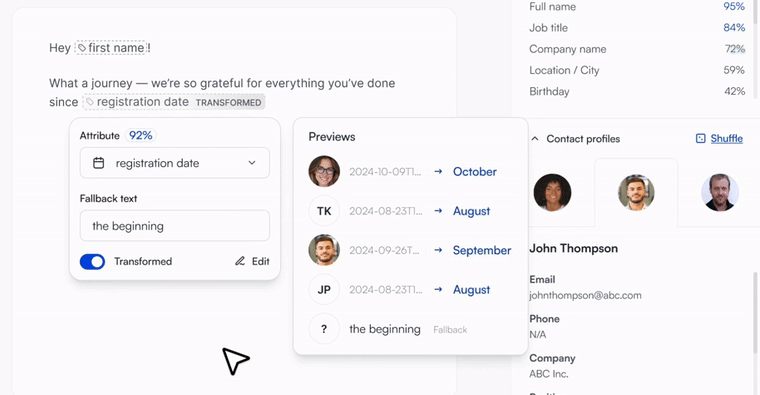
A Wow Tag on the registration date attribute, transformed so 2024-10-09 timestamps preview as October, August and September, with the fallback text the beginning for a contact with no date, beside List Insights and a sample contact profile
  1. The field and its fallback.
  2. Previews on real contacts: timestamps become months.
  3. What a contact with no date gets.

Singulated Snippets

The line you’d write if you had time to research everyone.

Give a Snippet your source material, like a report, a case study or an event agenda, and your writing instructions. Singulate writes a short passage for each contact from what you gave it and what HubSpot knows about them.

Then read it person by person. Approve it, fix it, or skip someone.

Contacts without enough data can get fallback text, or skip the passage and receive a shorter email.

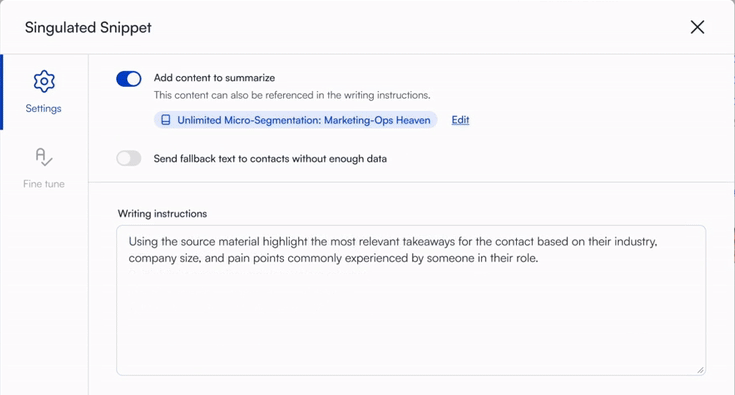
The Singulated Snippet settings: source material attached as content to summarize, a fallback text toggle, and writing instructions asking for the most relevant takeaways for each contact
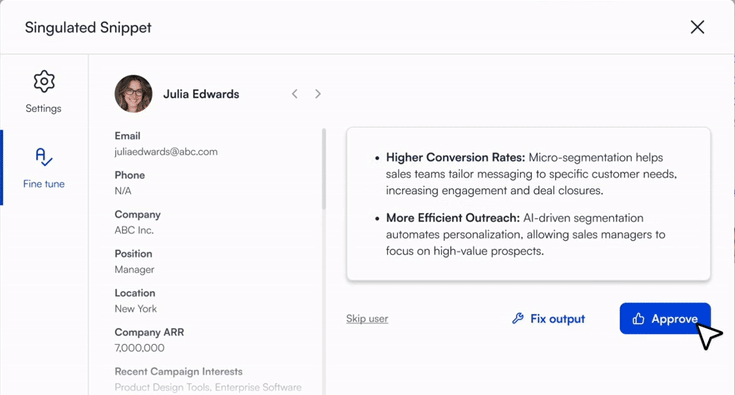
A Singulated Snippet written for one sample contact, Julia Edwards, shown beside her contact details with Skip user, Fix output and Approve buttons
  1. Your source material.
  2. Your writing instructions.
  3. What HubSpot knows about this contact.
  4. Her passage, to approve, fix or skip.

HubSpot keeps doing what it’s good at.

Your contacts, workflows, sending and reporting don’t move. Singulate is where you write the email, and the finished template goes back into HubSpot.

Singulate on the HubSpot App Marketplace

Stays in HubSpot

  • Contacts, lists and properties
  • Workflows and enrollment
  • Sending
  • Reporting

Happens in Singulate

  • Writing the email
  • Branches, Wow Tags and Snippets
  • Checking field coverage with List Insights
  • Previewing any contact’s version
  1. The Singulate and HubSpot logos side by side

    Connect

    Install Singulate from the HubSpot App Marketplace and connect your portal.

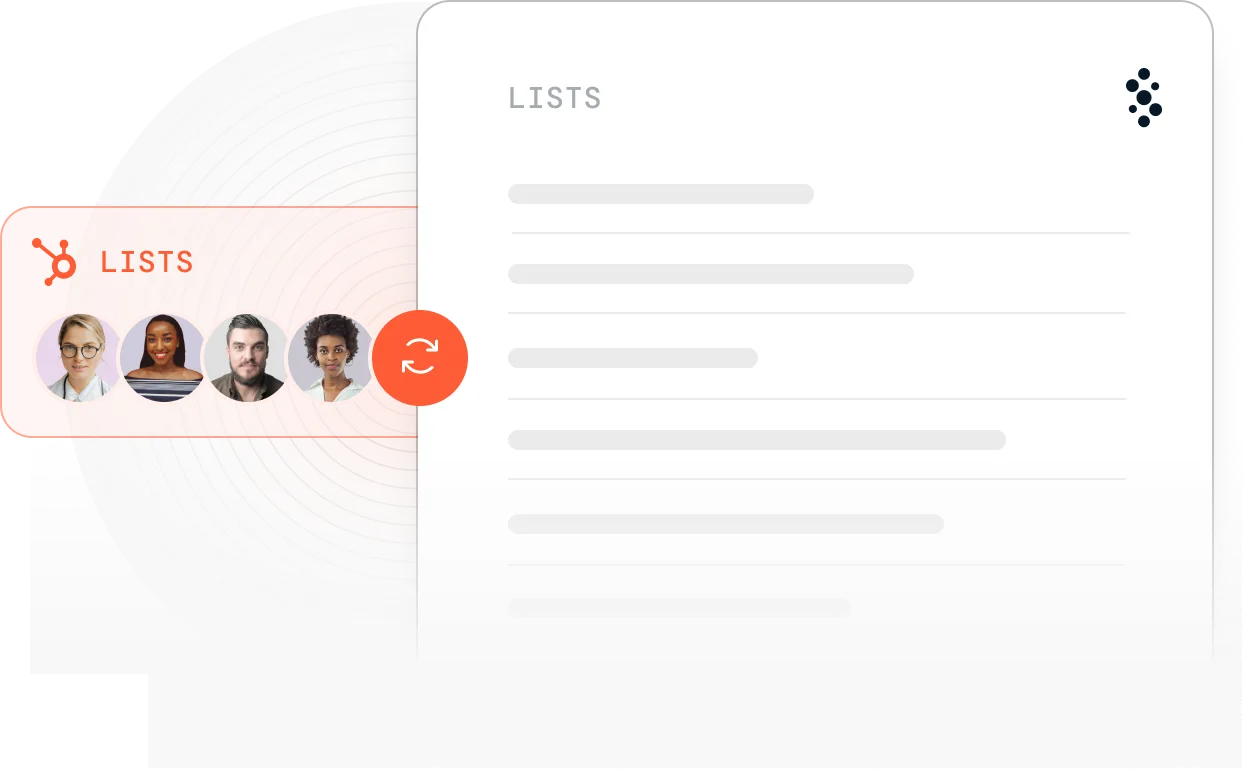
  2. A HubSpot list syncing into Singulate

    Pick the list

    Bring in the HubSpot list you’re emailing. List Insights shows how complete each field is before you lean on it.

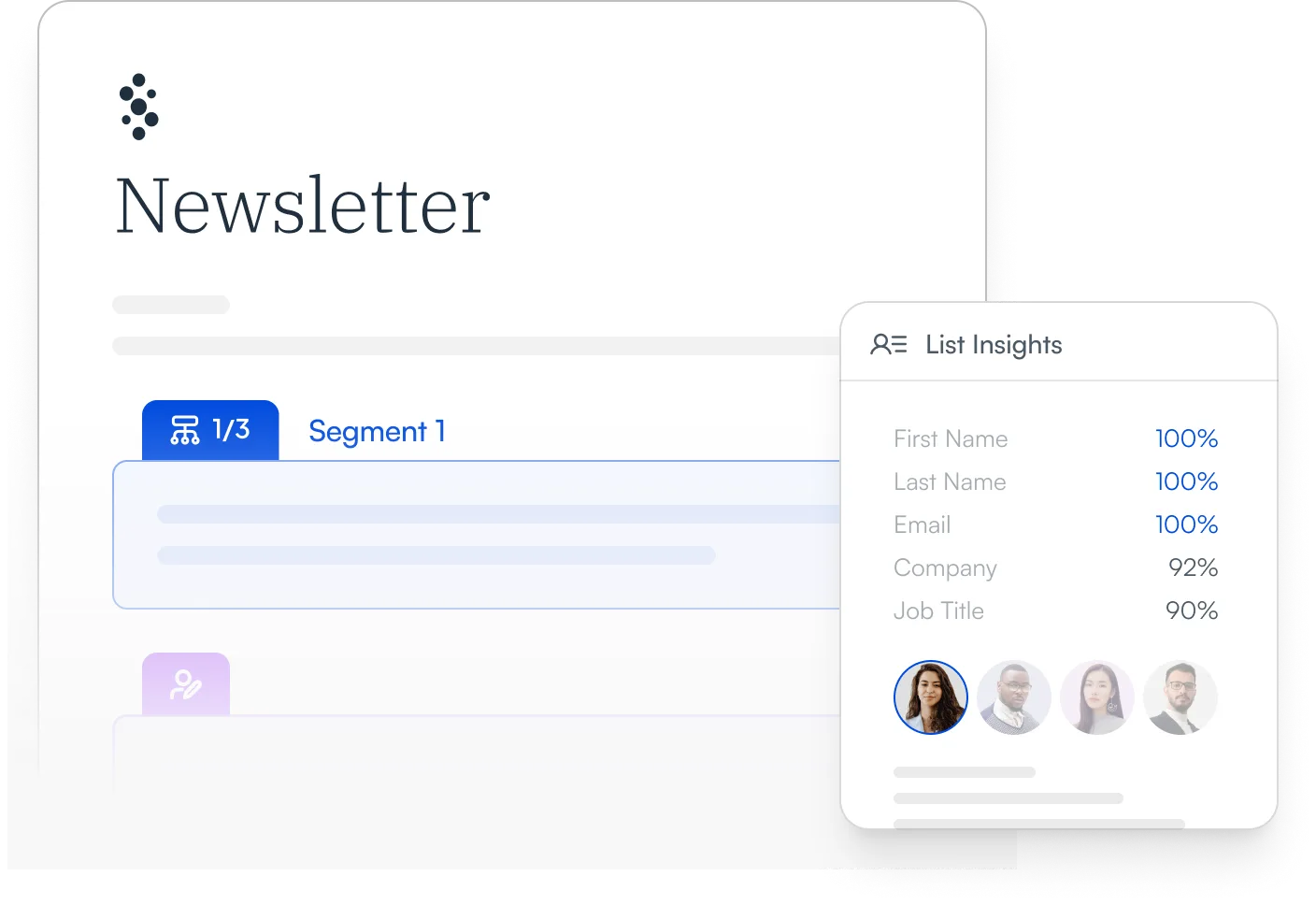
  3. A Singulate newsletter template with a segment branch beside List Insights field coverage

    Write and preview

    Write the email, add personalization where it earns its place, and preview it as any contact on the list.

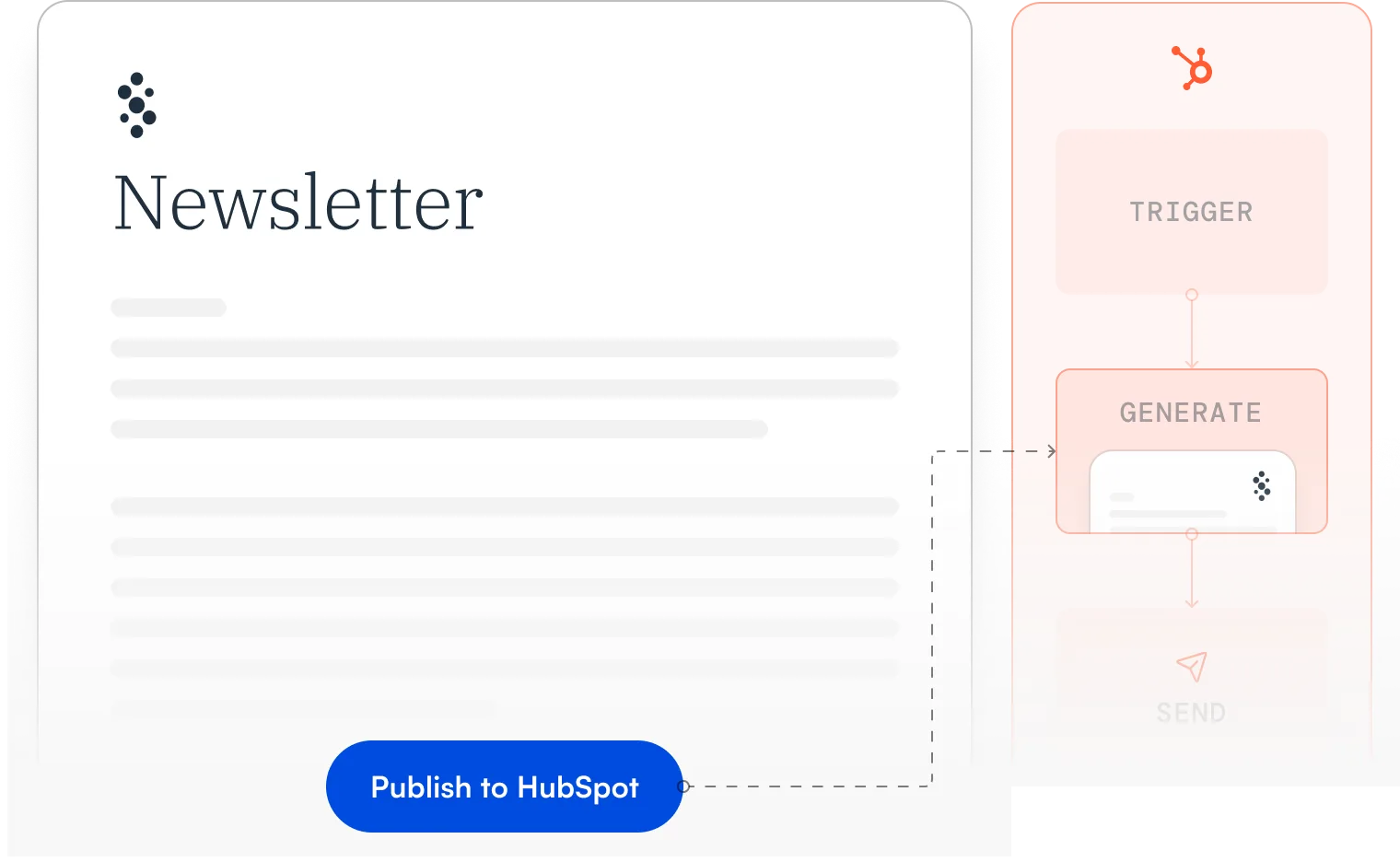
  4. Publish to HubSpot sends the Singulate template into a HubSpot workflow

    Publish to HubSpot

    Publish it as a template for a one-off email or a workflow. Send and report in HubSpot the way you do now.

Already using HubSpot’s Nurture Agent?

We’ve taken a close look at how Nurture Agent compares with Singulate, including the features, controls, limitations, and actual product screenshots.

See the full comparison →

A few things HubSpot teams usually ask.

No. HubSpot stays your CRM, and it still runs your workflows, sends the email and reports on it. Singulate is where you write and personalize the email itself.

Yes. You build a personalized template in Singulate and use it in a supported HubSpot workflow. The workflow itself doesn’t change.

Yes. Singulate works with one-off HubSpot marketing emails as well as automated workflows.

No. Start with copy you’ve already written and choose which sections change, and for whom. The rest goes out exactly as written.

Wow Tags can reshape messy values for the email, and Singulated Snippets fall back to text you write when there isn’t enough to go on. It’s still worth checking your data and previewing a few contacts before you send.

Bring an email you’re already planning to send.

We’ll go through it with you and show you which parts are worth personalizing for your list, and how.