.jpg)


3 Reasons Why Personalization & Segmentation Are So Hard To Do
- Tech stack and process problem: It’s too inter-functional and time consuming to segment and personalize well.
- AI automation problem: AI-generated messaging is too unreliable and inconsistent to automate at scale.****
- Messaging strategy problem: We don’t know how we’d change our content for all these micro-audiences and individuals.
1. The tech stack and process problem

Today's technology is not built for deep segmentation and personalization, unless you're willing to spend 7-8 figures of marketing budget.
This is why it’s too inter-functional and time-consuming to do deep segmentation and personalization in marketing departments:
You’d need:
- A copywriter army
- Multiple MAP admins
- A QA team
- A data engineer or two
- A project manager
- A content strategist
The annual cost easily exceeds $1M+ in salaries alone.
Lean marketing teams don’t have time to create every micro-segment list, every messaging variant, every workflow, ensure the data is accurate and up to date, ensure the copywriting is targeted and relevant for every segment. It’s too manual.
MOPs knows - maintaining the data layer underneath is enough of a task, never mind creating the targeted messaging.
The other reason is RevOps.
From a couple people on Linkedin and podcasts, I’ve heard the opinion, especially from RevOps, that “the segment writes the message.”
IOW, once you have the contacts segmented (right person) and the journey orchestrated (right time), the personalized content (right message) writes itself (with AI).
That might work for sales, but not for marketing.
Because sales messaging is far simpler than marketing messaging – there’s less data, less nuance, less context, fewer characters, no HTML, and heck, less risk!
This brings us to problem #2.
2. The AI automation problem
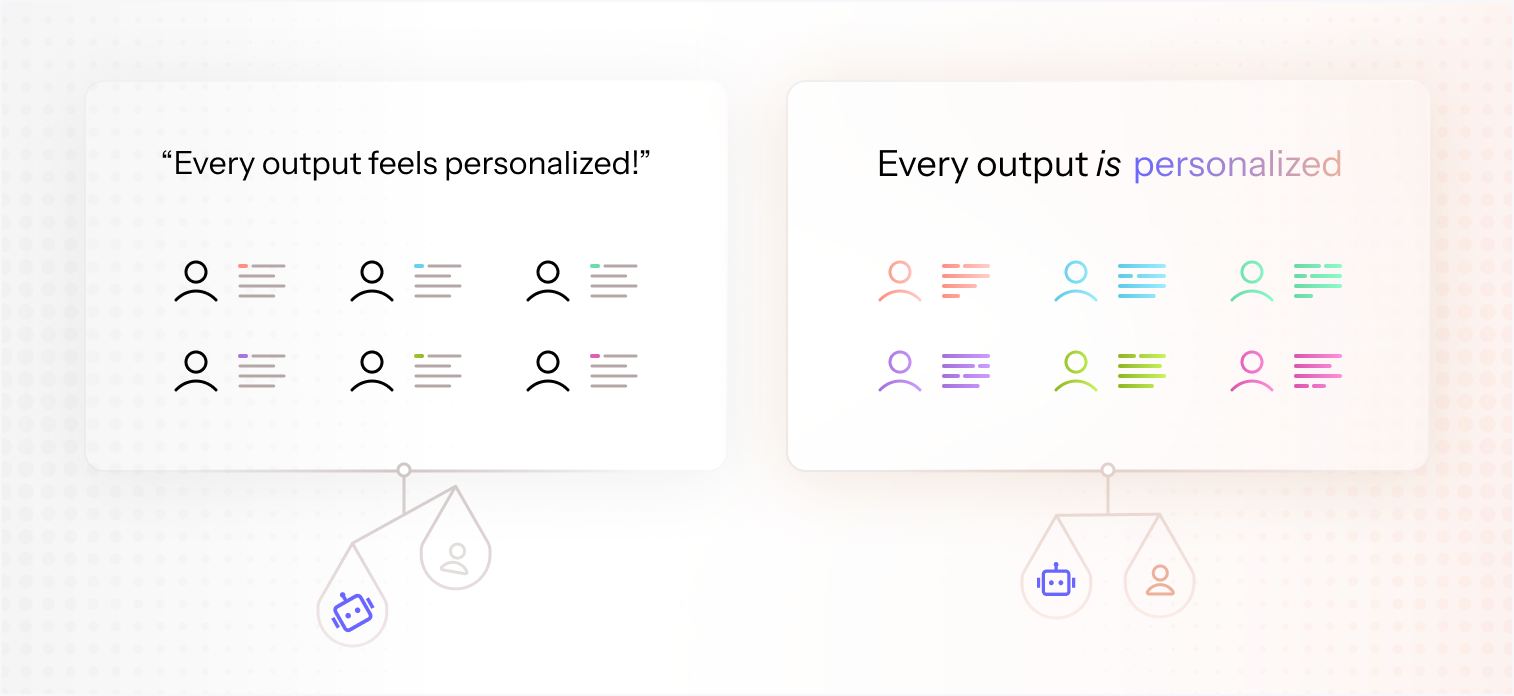
Full AI automation results in messaging that sounds like AI and runs into reliability issues at scale.
In almost every sales meeting, I listen to the marketer (usually demand gen) tell a story about how they’re churning off their AI sales automation platform. That they were burned on an expensive pilot. That they paid for an agentic software that left them with zero results.
This is a recurring theme.
It turns out that even a meticulously defined segment with accurate data isn’t enough for an LLM to generate a good message at the same level as a human. The same goes for AI writing a blog post. It’s okay, and helpful, but not 100% reliable enough to publish, nevermind automate.
I love using AI to write, but like you, I’ve observed that AI writing struggles to create true connection through writing. It can research, analyze, and be extremely helpful as a thought partner. But it does not create an authenticly stronger bond between a writer and a reader, a business to a customer, a seller to a lead.
But isn’t that what marketing is all about?
It’s difficult to describe exactly why that is, maybe there’s just something about the nuance, randomness, or originality of human communication. Maybe it’s because artificial intelligence inevitably feels …artificial.
I’m curious how you feel about it - more and more marketers aren’t comfortable with scaling AI-generated writing. The lack of results isn't worth the efficiency savings.
We need a new approach - one with more human-led messaging, more guardrails, verification, and reliability, while not losing out on the benefits of automation and scale.
So let’s say we solve the manual tech issue and the AI inconsistency issue - now what? What does it look like? This is problem #3. The messaging strategy problem.
3. The messaging strategy problem

When the first iPhone was released, it was drastically simpler than the Blackberry. But the initial reaction was incredulity. How could it only have one button?? It was too simple, popular society didn't know what to think (at first). Now look.
So how does a marketer use their data to create better targeted, human-crafted, and on-brand messaging that’s deeply segmented and personalized at scale?
What does it look like?
It looks like an entirely new method.
When you remove the friction and barriers from time-consuming operations, a.k.a. the combinatorial explosion of segmentation, and make it lighting fast and easy to do, it opens up a whole new world of strategy.
We call this the Singulate Methodology.
Singulation is a new process that simplifies the process to achieve relevance personalization at scale. It’s the ability to write for the individual at scale. Singulation completes what’s been missing in Orchestration and Data: Relevant messaging.
Segmentation applied to Orchestration creates combinatorial explosion, i.e., the 390k email versions we talked about above (another term for this is the Infinity Tree). It doesn’t work because it’s too much work.
By contrast, Singulation drastically simplifies the number of emails you have to create, without compromising the relevance or quality of the messaging for the end user.
It feels like GTM Engineering without all the technical engineering.
3 ways Singulate Methodology solves the segmentation and personalization problem for marketers
Singulate introduces a new art to copywriting, you’ll need to learn how to use data.
More specifically, you’ll learn new AI-native workflow concepts, including Branching, Snippets, and Skip Logic. Understanding these methods will help you master Modular Communication Strategy Architecture (Singulate’s underlying product philosophy).
1. Modular thinking
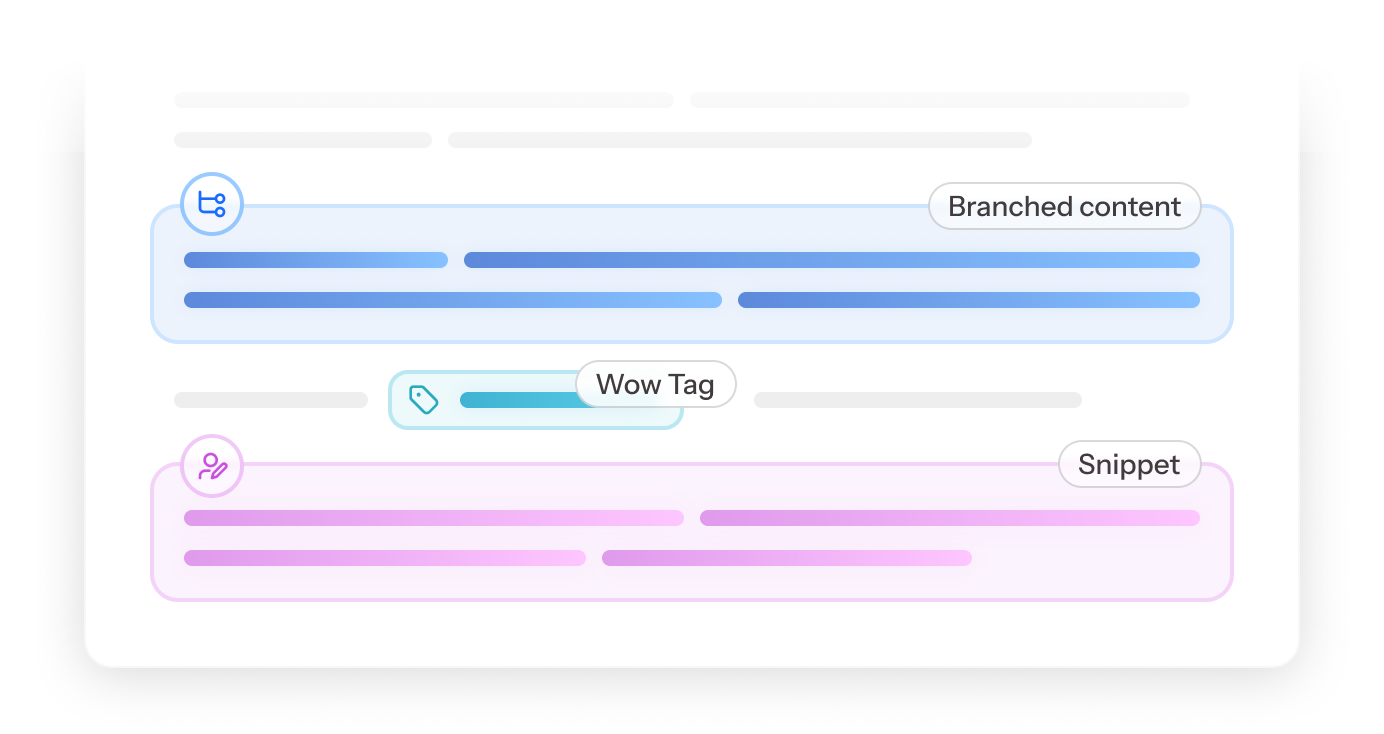
Modular architecture is the next phase of dynamic content.
This isn’t an entirely new concept.
If you’ve used Dynamic Content Blocks (SFMC, Marketo and Customer.io) or Smart Content (HubSpot), then you’re halfway there.
But the difference is significant.
Setting up dynamic content takes hours of manual work and if you’re using SFMC or Marketo, it’s quite technical.
Because it’s so time-consuming, and the results aren’t guaranteed, it doesn’t get done.
Which is why Smart Content is one of HubSpot’s least used features. Marketers prefer to write whole emails than split them into blocks. Why?
Because the time and effort it requires to set it up and manage it makes it not worth it.
So it’s an underdeveloped area of marketing, but one that is going to be rapidly growing in the future.
Singulate Methodology takes all the manual pain out of dynamic content. The list-building, the script logic, the data collection, the HTML generation, the operational execution 🤯🙈. Watching this YouTube video on how Dynamic Content works in SFMC is truly baffling how complex and manual it is.
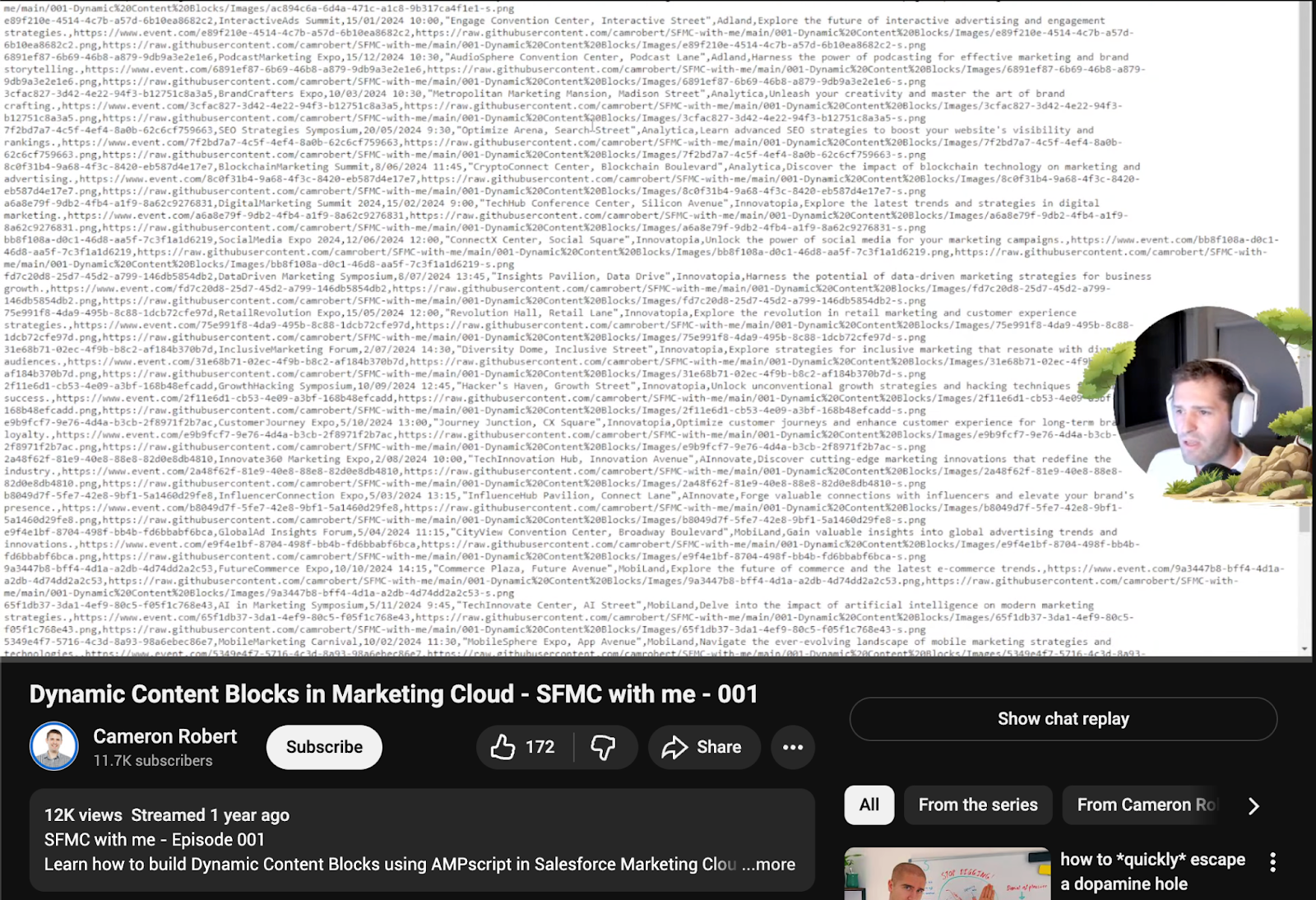
A screenshot of how dynamic content works in SFMC
The Fogg Behavior Model (FBM) states that when you make something easier:
- People do it more
- They do it with less hesitation
- Adoption increases even if motivation is the same
This is exactly what’s happening with dynamic content and the AI phenomenon.
Since the manual baggage and time suck is removed, Marketers can think more freely and strategically about using dynamic content.
So how do you think more modularly?
Singulate makes building modular content lightning fast and super easy.
Its dynamic content is made up of a couple simple tools and tactics:
- Branching
- Snippets (and summarizing content for personalization)
- Skip logic
Let’s break each of these down.
How Branching works
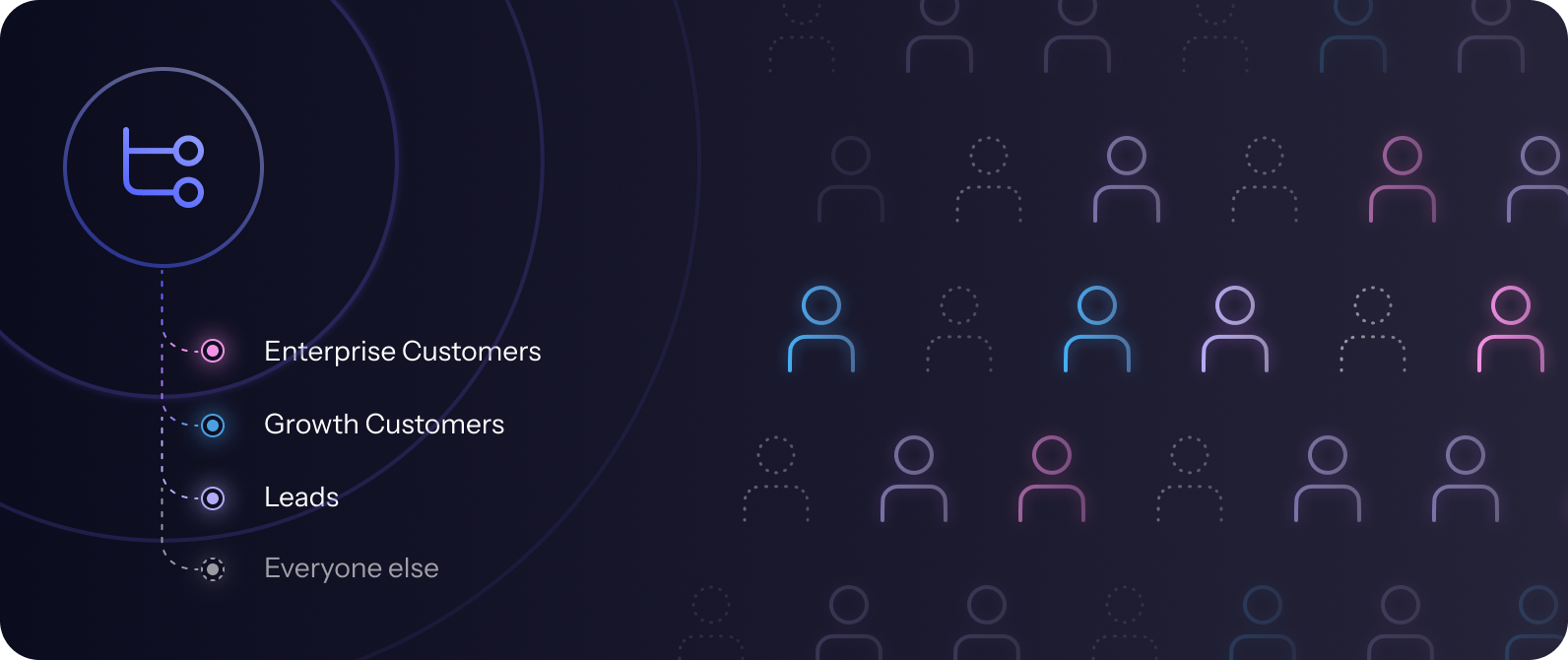
Branching is in-editor segmentation. AI builds the list in 2-3 seconds for that module.
Branching is segmentation on the fly. It’s the ability to quickly spin up micro-audiences inline and create content for these audiences, without opening a new tab or creating a separate list.
You can branch by persona, geographic, company size, lifecycle stage - anything you have data on.
You can branch content such as a sentence, a headline, a CTA, or whole blocks of rich HTML content.
Branching splits your content into cohorts, so that the right cohorts receive the right content.
The key to branching is speed.
What used to take 45 minutes to set up 1 block of dynamic content now takes 5 seconds in Singulate.
This enables you to branch campaigns and automations really quickly using the full index of available data, with fewer barriers or limitations.
I like to call it Matrix Segmentation because you’re able to take into account all the complexities of what makes us human and create the most relevant content for every profile.
So that’s branching, which is group based. If you want to target the individual at the contact level, then you use Snippets.
Snippets, short for Singulated Snippets, let you write hyper-personalized messaging on a 1:1 basis at scale.
How Snippets work
Snippets is modular prompting. You write a prompt for a section of content for an email. The prompt contains writing instructions that tells an LLM to write something for the individual based on their data.
It’s a prescriptive way of writing that feels like instructing someone what to write, but instead of it being a static post or email, the prompt folds in 3 components: the message you want to send, the data of the contact, and instructions on how you want the message to adapt for each contact based on the data model. This usually entails instructions, conditions, examples, exclusions, and the process of fine-tuning (skill #3 below) to best achieve the highest level of relevance and consistency for each contact.
There’s so much that goes into how to write a reliable snippet prompt. But the best way I’ve seen is to work backwards.
Here’s what I mean.
Find one person on the list and write what would be the perfect message for that person. The perfect event invite. The perfect follow up. Whatever the email is.
Then go to another person on the list (can be random) and write the perfect message for that person. Hold the emails side by side. How did the messaging change? What content shifted? What data did you use or not use to tailor the messaging?
Those changes are what you can articulate into the prompt. Do this with a handful of others. You’ll (hopefully) see a pattern emerge. You’ll catch more edge cases. You’ll get new ideas on how to craft the message better for more people. It should feel like you're abstracting out a model of rules and writing them out in plain English for the LLM to follow.
How to use Content to Summarize (aka Context)
.png)
Tailor general content (e.g., blog post, feature release) to be specific andrelevant at the contact level.
This feature is a major unlock that lets you send personalized takeaways, personalized summaries, personalized recommendations, and so much more.
The content to summarize feature is a place where you can add source material, or background information for the LLM to pull from. You could probably just put it into your writing instructions prompt, but then the prompt could get massively cumbersome. By splitting out the content to summarize, you can think about it more easily.
With content to summarize, you’ve got two options.
- Drop any amount of raw text. This could be a 50k word research report. A whitepaper. All your case studies. All of your KB. A webinar transcript.
- Upload any file. Such as a CSV, deck, or doc.
One added, Singulate will crunch the information and understand it (giving it a headline). Then in the writing instructions, you can write your prompt so that it pulls out just the pieces of information that are most relevant to the contact based on their data. For best results, specify the data points Singulate should use to determine relevancy.
The last modular tool is Skip Logic. Hint: it’s far more powerful than it sounds.
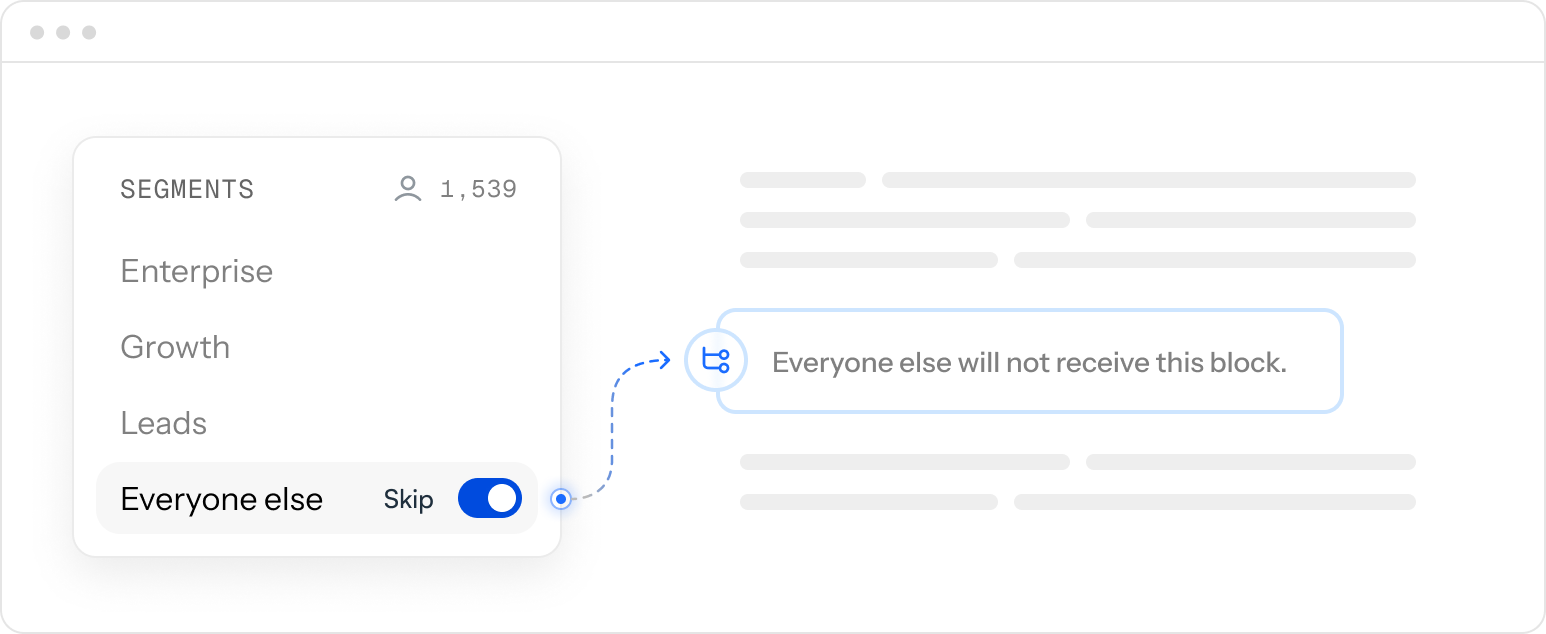
Skip logic cuts out content that's not relevant for other audiences.
This one you probably are familiar with but in the context of Singulate it’s a little different.
Skip Logic is choosing to exclude a block of content.
With branching, there’s always the “Everyone else” bucket that uncategorized contacts fall into. Here is usually where a fallback or default message is sent to any audiences that are missing data.
The problem with this is it’s usually generic content. Since it has to work for everyone.
The cost of this problem is every time you want to leverage dynamic content – to write something really thoughtful or exciting for a certain audience – another audience has to suffer the generic fallbacks. The default fallback message lowers the quality of the email for those who receive it.
But in modular content, the cost of this problem is completely removed. Instead of defaulting to generic messaging, you can use Skip Logic to just exclude the block of content for people who it’s not relevant to.
Skip Logic flips the paradigm of dynamic content and actually turns it into more of a reward than a cost. It becomes a fun game.
For example, let’s say you're sending out an EOM newsletter to a list of 100 contacts.
The list consists of 2 enterprise customers, 8 growth customers, 4 partners, and 86 leads. You want to tailor the messaging based on this data.
With traditional orchestration, you manually split the list into 4 different lists and craft 4 different emails.
For the enterprise customers, you want to tell them about the new enterprise feature that’s coming and invite them to give feedback and meet with your product manager.
This isn’t relevant to the 98 other contacts. But with fallbacks, those 98 contacts will have to receive something generic in that place of the email. Ack!!
Skip logic allows you to skip that enterprise message entirely so only the 2 relevant contacts receive it. Everyone else just gets a shorter email
The takeaway: Modular branching lets marketers spin up these thoughtful micro-audience messages in their emails without creating separate lists and campaigns. It’s sooo fast and simple and enables a whole new world of thoughtful messaging at scale. Great for ABM and customer comms.
The paradigm shifts from how do I make this work for everyone on the list to how can I add a thoughtful note to help every group feel seen and heard by this message. It’s like a game.
Ok, we’ve covered modular thinking, the foundational architecture of Singulate Methodology. Now let’s talk about the paint you’ll be using to color the canvas: prompts.
2. Prompt engineering
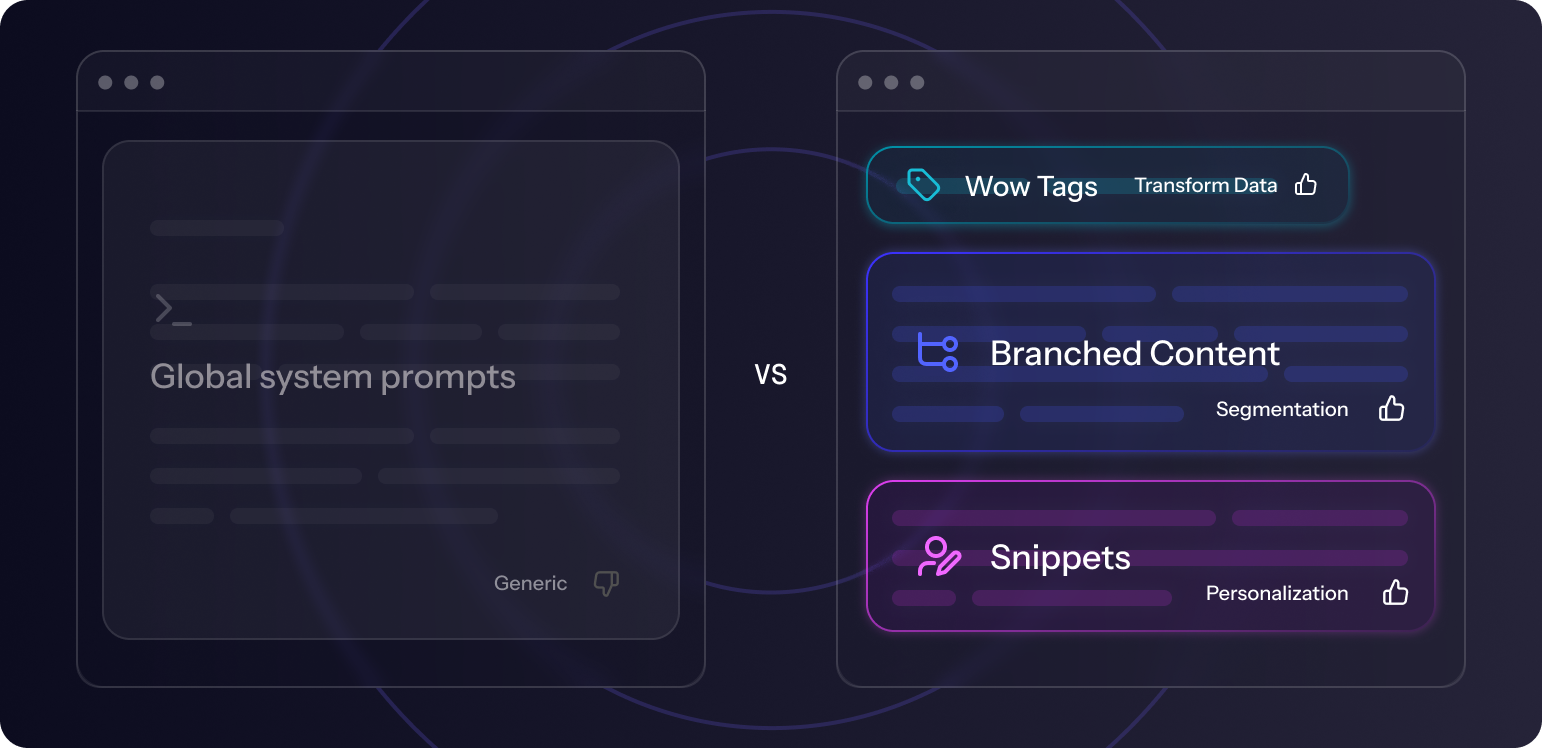
To give users more control, prompt engineering should be modular, not global.
The modular architecture of Singulate makes it different from any other system that uses one prompt to create the whole message.
These global “system” prompts provide too much surface area for error.
Giant prompts struggle to capture the nuance, specificity, and creativity that is required in branded marketing comms. The bigger they get, the more cumbersome and unwieldy they become to manage and edit. Not to mention expensive and difficult to verify given AI’s innate tendency to hallucinate or lose consistency at scale.
By breaking an email campaign down into modules, the user has more control over how tight or loose of a leash she gives to generative outputs, from 100% deterministic to robust skyscraper prompts.
You have 3 prompt tools in Singulate that achieve different things:
- To transform data properties (i.e., tags) into good copywriting.
- To build micro-audience inline segments.
- To generate messaging that knits together data and context into personalized Snippets.
Each of these are distinct ways to use prompting.
The first uses a prompt to transform a personalization token into more natural, more organic copy. These are called Wow Tags in Singulate. For example, some popular use cases for Wow Tags are:
- Condensing job title into its more conversational role - “Senior Director of Growth Marketing and Sales, EMEA” → “growth marketer”
- Turning timestamps into natural language - “12/01/2025 03:02:55” → December 1st or “last week”
- Cleaning up company names “The Steagall Brothers Corporation, Inc.” → “Steagall Brothers”
- Localizing time zones for events “2:00pm ET → 7pm BT”
- Fixing capitalization and punctuation in the names “SHANNAH SMITH” → Shannah
Wow tags uses Liquid Code to make the transformation.
The second one uses prompts to create audience segments. This one is a little more common and quickly becoming the norm in most marketing software thankfully.
But there’s a twist.
Singulate shows you the data validation of the query so that you can verify it’s using the correct data to decide who’s in the segment and who’s not.
To do prompt branches, it’s easier than it looks. You no longer need to manually configure and dial in audience criteria, all you have to do is type it out. In natural language. Just how you’d describe it to a person.
For example: “lives in california and works in marketing or sales.”
Another example: “job title contains compliance and seniority is director or higher”
Singulate parses these descriptions and builds the query out to accurately segment the list. You can verify the number of contacts, the percentage of the list, and the data validation - all in one go.
If it doesn’t look right, maybe the percent is 0% or it’s too high, simply modify for the description of the audience and it will regenerate. As you add more audiences each time the cohorts will be regenerated.
What happens when one contact could fit into two or more segments? Such as a NYC-based Marketing Director and the branches are separated into two: “lives in New York” and “works in marketing” – Singulate prioritizes the top branches and makes them drag-and-droppable. The idea is your smaller audiences, the more specific parameters should go at the top, and the wider buckets towards the bottom.
The benefit of this fast and easy segmentation builder is that you can quickly verify without having to keep building and rebuilding lists or analyze them in a spreadsheet in a separate software.
The third prompting tool is perhaps the most fun.
You’re using Snippets to create writing instructions that weave together multiple properties that make for a strong, tight personalized statement.
The beauty of a prompt vs. token approach is that a prompt can smooth or adapt tokens to flow more naturally together. Tokens alone are static, wooden language and result in forced personalization syntax like this: “As a JOB TITLE at COMPANY NAME working in INDUSTRY”
A prompt-based approach solves this problem by reworking the entire content, not just the tokens, allowing for much more natural, conversational copywriting and formatting. It smooths out the rough edges and inconsistencies of the data.
3 signs of a strong prompt:
-
Clear writing instructions. The worst thing you can do is write a prompt that is wide open, too general, and too broad, able to be interpreted in multiple ways. For example, the prompt, “Write an opening hook based on the contact’s job title and industry” could yield wildly varied outputs - there aren’t enough constraints or conditions to guardrail the AI. It doesn’t know what it should look like. The variance will be out of control. Some contacts could get something out of left field.
- Instead, reverse engineer what a “good” output looks like. Often, we’ve found it works well starting with a specific output (for one contact) and then bracketing just the parts that should be adapted to make that structure work for every contact. Then use the rest of the prompt to make the bracketed parts good and reliable.
- I find this type of prompting like building your own “program.” You’re writing code in natural language, programming the rules and conditions so that it works for every audience. Speaking of audiences, if you need to create a branch and THEN put a snippet within a branch, this works really well to constrain the audiences even more. For example, if you want to use a snippet that requires a field that only 30% of the list has, you’d branch this audience, then drop the snippet into the branch. This way, your fine-tuning will be just for people who have that data point and everyone else can get other branched content or be skipped altogether.
-
Examples. A good prompt should always have examples of good outputs. LLMs are good at abstracting rules from examples so the more you can give the better. Also, try to pick examples that help reflect variance in the data. For example, if you have a shorter job title like Marketing Manager and then you have a long job title like Executive Vice President of Marketing and Sales, EMEA, then you’ll likely want to give it an example for both so that it knows what to do with long titles and short titles. Previews are the best way to come up with examples. When you catch a bad output, write the example for that data point and the desired output you’d want to see so it can “learn.”
-
Conditions. Sometimes if you notice edge cases or aberrant patterns in the data, you’ll want to add in conditions and if/then logic to account for those. The condition could be to just skip those contacts or use the fallback or to look at other pieces of data and write something else. For example, if the company name is over 4 words, you might add in the prompt to condense it to an acronym. Or you may want to change the tense of the verb from present to past to make it fit. The other day I added “start with the gerund verb” when referring to recent news headlines.
Remember, a robust prompt contains all the writing instructions needed to smooth out all the wrinkles in the data. It’s clear, concise, logical, and comprehensive for all the types of data you’re working with.
3. Fine-tuning
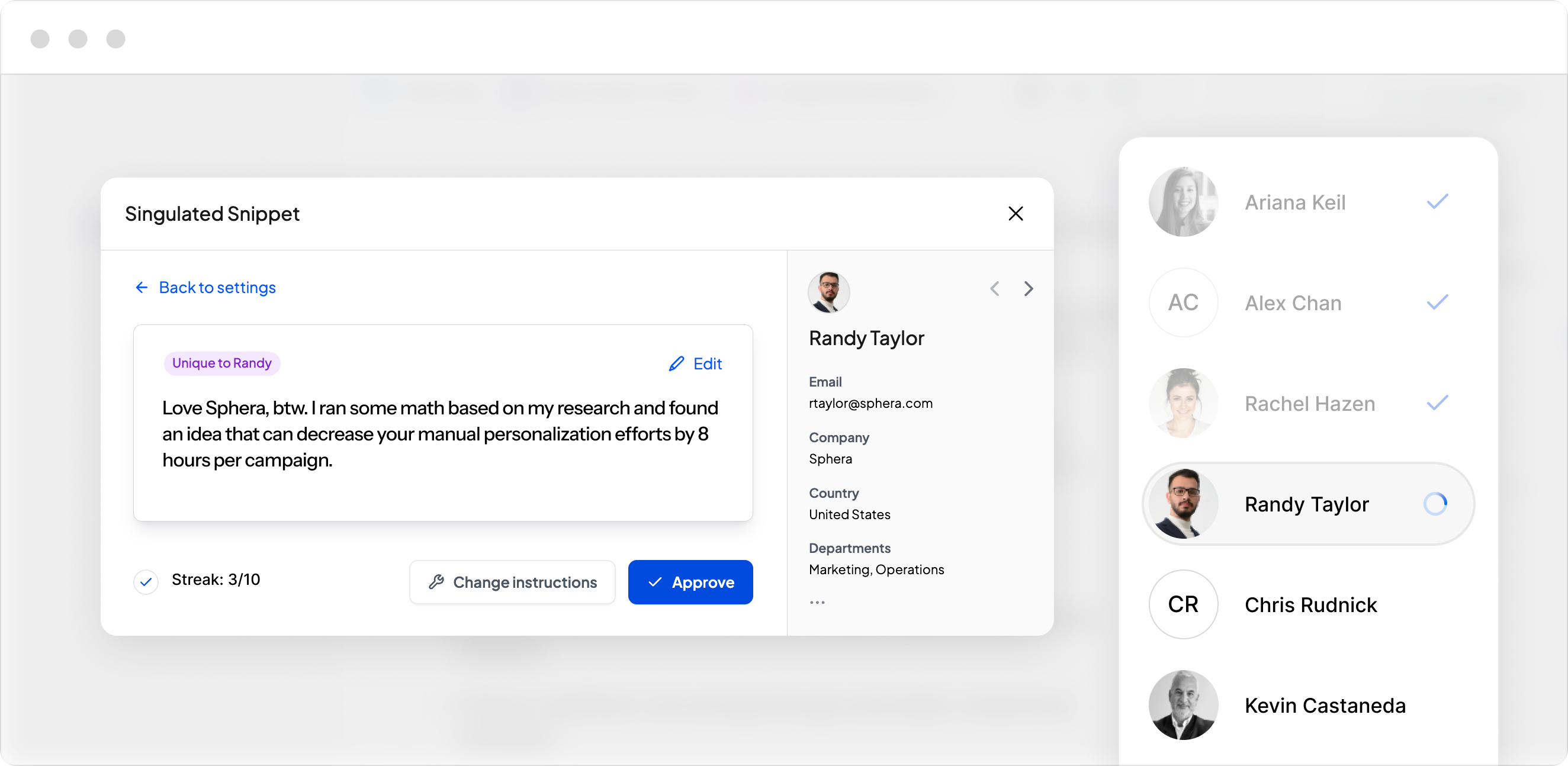
Fine-tuning keeps the human in the loop, to ensure the pattern of personalization is verified, and scalable.
The last skill to master is fine-tuning. Fine tuning is the art of building out strong prompts and ensuring that they work for hundreds, thousands, and hundreds of thousands of contacts.
How do you know when a prompt is good?
Well, unless the outputs are 100% deterministic, you can’t. It becomes a confidence game. This is why fine-tuning comes with an Approval Streak. You should be able to preview 10 contacts at random from the list and see 10 good outputs. This ensures the pattern of personalization is working at scale.
How can you tell if an output is good?
Use the Shoe Test.
The shoe test is a small exercise where you put yourself in the shoes of the recipient and read the message from their perspective to the best of your ability.
Does it make sense?
Is it relevant?
Does it make them feel seen and understood?
If not, you probably have some more fine-tuning to do. Modify the prompts to make it perfect or as close to perfect for at least 10 contacts. Generally, a good prompt has 5 examples.
Don’t over-prompt. I’ve seen some prompts get way too big. Over-engineering a prompt can have the opposite effect - where it becomes too convoluted and complex that it becomes unclear and contradictory. LLMs are very sensitive to this. It’s better to err on the side of a tight, short constrained prompt than on a longwinded, rant-like prompt. Similar to writing code, you want it to be as concise and clear as possible.
Bringing it all together
Let’s circle back to our original example.
Remember the marketing team that is looking to segment by 8 vectors? The one that created hundreds of thousands of emails to write?
With Singulate Methodology, it can be done from one template. Not 390k. One.
Yes, it still takes time and strategy. But the sheer mountain of time and resources it would take to achieve the equivalent outcome with traditional journey orchestration is no longer an obstacle.
This is the future of marketing. The ability to send more relevant content at scale at any part of the customer journey.
In this post, we looked at the problems that are preventing “singulation” from happening. We looked at the skills that enable it to happen.
Drastic simplification is coming to Marketing Ops. What was once considered sophisticated and advanced, will become basic and required.
GTM Engineering began with focusing on the data layer underneath GTM. Growth Engineering (or whatever the marketing/copywriter version of this movement is) is the next move. It focuses more on how to build 1:1 messaging models with that data.
Marketers, what a time to be alive.
Frequently asked questions
Is Singulate Methodology worth it?
It depends. Do you care about engagement and conversions in the email? Singulate Methodology is usually measured in Click Rates. The more relevant and targeted the content, the more engagement (i.e., clicks) the email drives. It’s not always a silver bullet and may take several tests and experiments to land the right Singulate messaging strategy. But once it’s dialed in and optimized, it can drive 2-7X high click rates over base messaging. For this reason, we strongly recommend split testing and A/B testing to be able to demonstrate measurable results in the analytics reports. If it doesn’t drive higher results, at least you’ve learned that that segmentation or snippet strategy didn’t work, and that insight is still valuable.
How much more time does it add?
It depends what you’re comparing it to. If you’re comparing it to a “blast” message, where you’re simply copy and pasting from a doc into an email, picking a list, and hitting send, then yes, it adds several more hours. All content is tied to contact data in Singulate. They can’t be separated. But if you don’t care about tailoring messaging to contact data, then don’t use Singulate. If you do, and you’re taking the time to create the segments, the dynamic content, the personalization tokens, then it’s going to save you days of work.
What data do I need to be able to use the Singulate Methodology?
You can do a lot with a little. If you have just the basic demographic or firmographic data, there’s a ton you can do with that. If all you have is an email address, especially if it’s a free email address like gmail or yahoo, then there’s not much Singulate can do. We call contacts like that ghosts because there’s not a lot of data to know who they are. If you have event data or product data, now we’re talking. That’s when Singulate really comes alive. The more data the better!
Who is usually the role operating Singulate?
Singulate combines data and content into one tool, so the best users are typically the ones who like working with data but also are creative and like to write. Often it’s a Growth role. Or a partnership between Marketing Ops (who brings the list and data, and operationalizes the send) and Content (who creates the content).
What tech stack does Singulate work with?
Singulate is currently tech agnostic. It can work with any tech stack. Book a demo to chat about how Singulate fits into your tech stack.