Singulate Analytics
Personalization analytics that reveal engagement by segment and compare personalized against fallback content, so you can optimize campaigns.
Singulate comes with powerful personalization analytics that reveal audience engagement within your segments, fallback vs. personalized content metrics, and more so you can identify engaged audiences, minimize noise, and optimize your campaigns.
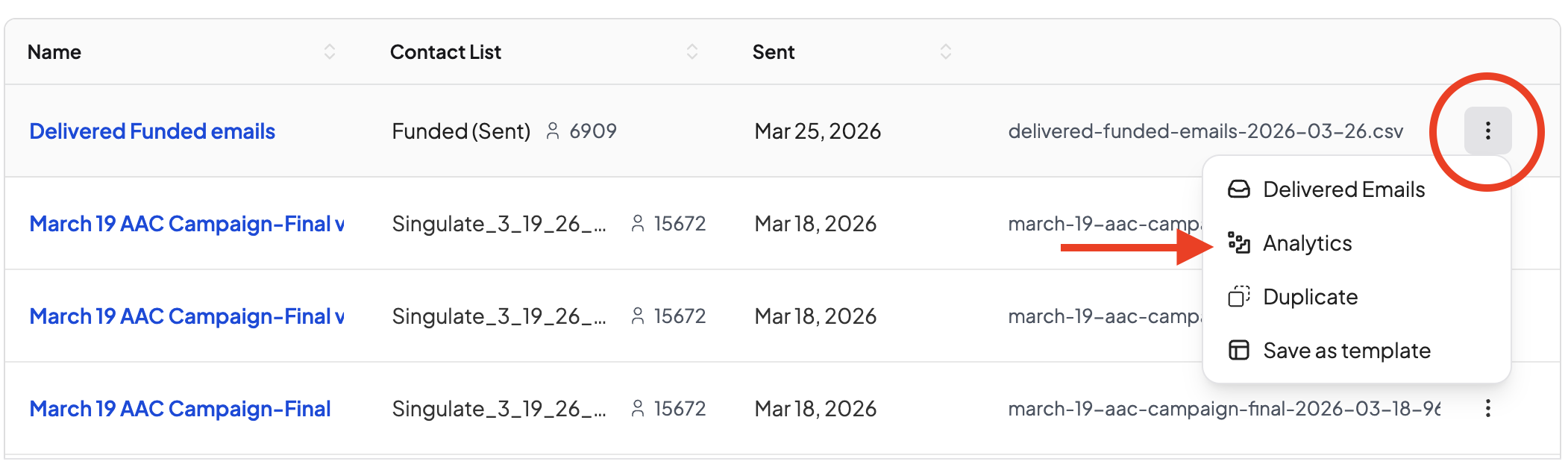
Where to find your analytics:
****Head to Campaigns > Completed or Automations > Completed and click the burger menu (3 dots) on the far right side of the campaign you wish to see the analytics for.
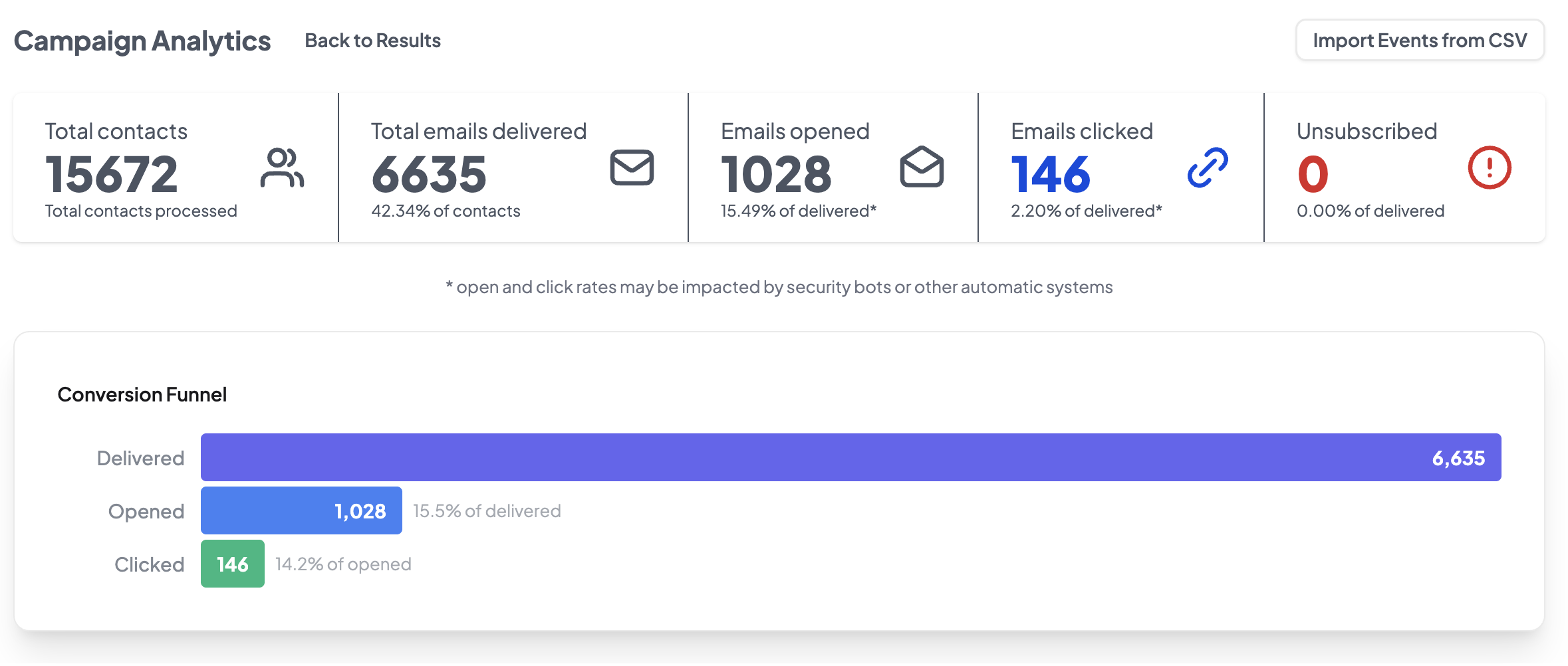
First, you’ll see an overview of email performance: total contacts, emails delivered, opens, clicks, and unsubscribes:
You’ll also see personalization analytics for Singulate Snippets:
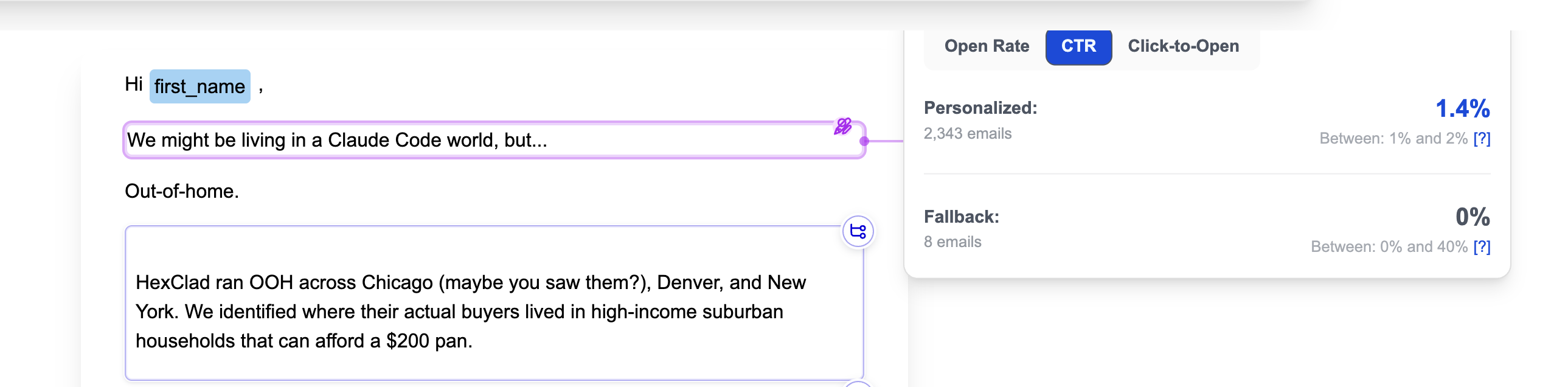
Singulated Snippets analytics reveal how many contacts received personalized vs. fallback text and the open, CTR, and click-to-open rates of each.
...And for Branched content:
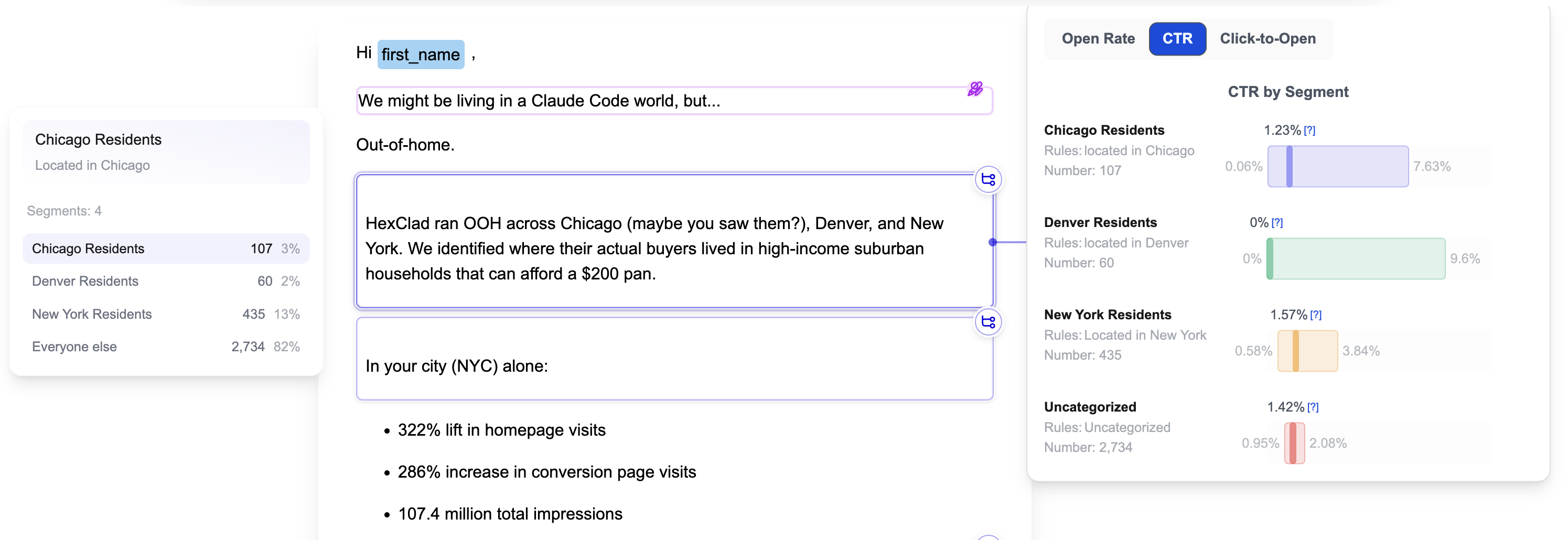
Branched content analytics reveal how many contacts fell into your segments, as well as opens, CTRs, and clicks-to-open metrics by segment.
Every email, written for the person reading it.
In enterprise customers' sends through Singulate, the personalized version had a 74% higher click-through rate than the generic one.